Specifications
Manuals
Brands
Easypix Manuals
Digital Camera
5.2
1
2
3
4
5
6
7
8
9
10
6
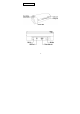
3.2 Power on the
Scanne
r
1.
Press and hold the Power button
for about 0.5 seconds.
The power ind
icator green
light blink
s.
2.
Wait until the power indicat
or stops blinking then
change to orang
e and stays
on to indicate th
e scanner
is ready
.
1
...
...
5
6
7
8
9
...
...
34