
User's Manual




User Guidance Information
17
Remote Controller
Functions of remote control buttons
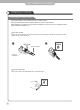
The remote control is using Infra-Red (IR). Point it towards the front of the PDP TV. The remote control may not
work correctly if it is operated out of range or out of angle.
POWER :
TURNS THE TV ON AND OFF
DEVICE SELECT :
PRESS TO SELECT
TV / VCR / DVD / CABLE / HD
STB / AUDIO
DEVICE POWER :
TURNS THE DEVICE ON AND
OFF
MTS (Multi-Television Sound) :
PRESS TO SELECT MONO OR
STEREO MODE
: FF
: PLAY
: REW
: PAUSE
: STOP
REC :RECORD
:SKIP -
: SKIP +
COMPOSITE1 : PRESS TO SELECT
COMPOSITE1 INPUT MODE
COMPOSITE2 :
PRESS TO SELECT COMPOSITE2
INPUT MODE
S-VIDEO :
PRESS TO SELECT
S-VIDEO INPUT MODE
CH+, CH- : PRESS TO CHANGE
THE MEMORIZED CHANNELS
KEY
DVI : PRESS TO SELECT DVI
INPUT MODE
PC : PRESS TO SELECT PC
INPUT MODE
TV :
PRESS TO SELECT TV INPUT MODE
COMPONENT1 :
PRESS TO SELECT
COMPONENT1 INPUT MODE
COMPONENT2 :
PRESS TO SELECT COMPONENT2
INPUT MODE
VOL +, VOL - :
PRESS TO INCREASE OR
DECREASE THE VOLUME KEY