
Datasheet




v1.0 / Modification rights reserved
10
EEH210
OTP Reload is a safety feature and loads the entire OTP settings to the register before every measurement. This feature
is disabled per default and is not recommended for use. Please use Soft Reset instead – it contains OTP Reload.
Table 12: User Register. Reserved bits must not be changed. “OTP reload” = ‘0’ loads default settings after each time a measurement
command is issued.
BIT #BITS DESCRIPTION / CODING DEFAULT
7,0 2
Measurement resolution
00
RH Temp
00 12 bit 14 bit
01 8 bit 12 bit
10 10 bit 13 bit
11 11 bit 11 bit
6 1
Status : End of battery
1
0: VDD > 2.25V
1: VDD < 2.25V
0
5,4,3 3 Reserved 111
2 1 Reserved 0
1 1 Disable OTP reload 1
1. This status bit is updated after each measurement.
An example for I
2
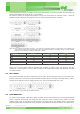
C communication reading and writing the User Register is given in Figure 12.
Figure 14: Read and write register sequence – grey blocks are controlled by EEH210. In this example, the resolution is set to 8 bit / 12
bit.
6.6. crc checksum
The EEH210 provides a CRC-8 checksum for error detection.
The polynomial used is x
8
+ x
5
+ x
4
+1.
6.7. conversion oF signal outPut
Default resolution is set to 12 bit relative humidity and 14 bit temperature reading.
Measured data are transferred in two byte packages, i.e. in frames of 8 bit length where the most significant bit (MSB) is
transferred first (left aligned).
Each byte is followed by an acknowledge bit. The two status bits, the last bits of LSB, must be set to ‘0’ before calculating
physical values.
In the example of Figure 9 and Figure 10, the transferred 16 bit relative humidity data is ‘0110001101010000’ = 25424.
Relative Humidity Conversion
With the relative humidity data output D
RH the relative humidity RH is obtained by the following formula (result in % RH),
no matter which resolution is chosen: