
Owner's Manual


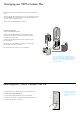


Table Of Contents
- Assembling your machine
- Getting started
- Connecting to the Dyson Link app
- Connecting to your smart home
- Power and continuous monitoring
- Information menu
- Auto mode
- Airflow speed and direction
- Oscillation
- Night mode
- Sleep timer
- Heating and Cooling modes
- Changing your HEPA+Carbon filter
- Resetting your HEPA+Carbon filter life
- Changing your HEPA and carbon filters
- Resetting your HEPA and carbon filter life
- Changing your HEPA+Carbon filters with a catalytic filter
- Resetting your HEPA+Carbon filter life
- Looking after your machine

Changing your HEPA+Carbon filter
Before changing your filter, switch off and unplug your Dyson purifier fan
heater.
The remaining filter life is displayed on the screen and will indicate when your
non-washable filters need replacing. Press the Information button on your
remote or check on the Dyson Link app.
You’ll need to reset the filter life on your machine.
Dyson Purifier Hot+Cool
Supplied with a HEPA+Carbon filter.
To change your HEPA+Carbon filter, push down on the buttons
either side of your machine to release the outer cover. Push down
on the tabs to remove the filter.
Push the replacement filter into the outer cover and make sure the
tabs click into place.
Put the outer covers into position on your machine and push firmly
until they both click securely into position.
Plug in and switch your machine, and reset your filter life.
Resetting your HEPA+Carbon filter life
It’s important to reset your filter life after you have replaced your filter.
Resetting your HEPA+Carbon filter life
Press and hold the Night mode button on your remote control.
The display on your machine will countdown from five, the filter life will
be reset and your machine is ready to use.
5
sec
The air purifier fan heater with the filter covers
open showing a HEPA plus carbon filter located
in the filter covers. Arrows demonstrate that the
filter covers will need to be assembled onto the
base of the machine.
Pressing the night mode
button on the bottom right
of the remote control for 5
seconds.