
User`s manual



4
8
4.3.6 Self-timer
This function allows you to capture an image of yourself by adding
a specified time delay between when the Shutter button is pressed
and when the picture is actually taken.
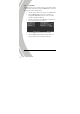
1. Turn the video camera on and ensure it is in Photo mode.
2. Press the MENU button and use the scroll wheel to
highlight the Self-timer option. Press the scroll wheel
inwards to display the submenu.
3. Use the scroll wheel to select Off, 10 sec, or 20 sec. Press
the scroll wheel inwards to confirm.
4. Press the MENU button again to exit the menu.
5. Press the Shutter button and the self-timer starts. An
image is captured after the specified time delay.