
User`s manual



4
4
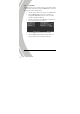
4.3.2 Image quality
Use this option to set the quality of the captured image. Higher
quality images contain more details and therefore use more
memory space.
1. Turn the video camera on and ensure it is in Photo mode.
2. Press the MENU button and use the scroll wheel to
highlight the Quality option. Press the scroll wheel
inwards to display the submenu.
3. Use the scroll wheel to select from Fine, or Normal. Press
the scroll wheel inwards to confirm.
4. Press the MENU button again to exit the menu.