
User guide




DevCom2000 User Manual
MAN-1010 7/19/2010 Our Quality Management System is Page 30
ISO 9001:2008 Certified
Step Action
the Communication Log window by clicking on the X.
6.7 Viewing the Error Log
DevCom2000 allows the user to view the error conditions of the device and the communication network.
To view the Error Log, perform the following steps:
Step Action
1 Ensure that the application is running and communications have
been established:
Expand the menu by clicking the “+” sign and double-click to
view the device parameters.
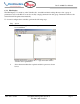
2 Select View Event-Status Log from the main window or
choose the Event-Status log icon from the toolbar. An
additional Event Status window is displayed: