
User guide




DevCom2000 User Manual
MAN-1010 7/19/2010 Our Quality Management System is Page 29
ISO 9001:2008 Certified
Step Action
Expand the menu by clicking the “+” sign and double-click to
view the device parameters.
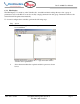
2 Select View Communication Log from the main window or
choose the communications log icon from the toolbar.
Following window is displayed:
Note: The communications log lists actual HART commands
and the responses from the unit. A good understanding of the
HART protocol is required to interpret this data.
3 Select File Exit to get back to the main window. Or, close