
User guide




DevCom2000 User Manual
MAN-1010 7/19/2010 Our Quality Management System is Page 21
ISO 9001:2008 Certified
6.3.2 Variable
To edit the parameter variables of the connected device, perform the following steps:
Step Action
1 Ensure that the application is running and communications have
been established:
Expand the menu by clicking the “+” sign and double-click to
view the device parameters.
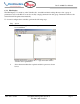
2 Select the menu where the editable parameter is present as
shown below: