
Specifications


English
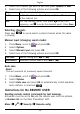
4.SelectthechannelyouwishtoeditandpressOptionsorAdd.
5.SelectoneofthefollowingoptionsandpressOK.
PlayPlaytheselectedchannel.
Delete
Deletethechannel.PressYestoconrmorNotoreturn
tothechannellist.
EditEditthechannelname,thenpress toeditthe
frequency,use
#
toenterthedecimalpoint.PressSave.
Selectingchannels
Presskeys
1
-
9
toquick-selectapresetchannelwhiletheradio
isplaying.
Manualinput(changingsearchmode)
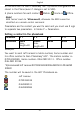
1.PressMenu,scrollto
andpressOK.
2.SelectOptions.
3.SelectManualinputandpressOK.
4.SelectoneofthefollowingoptionsandpressOK.
FinetuneManualtuningwith or .
Autosearch
Automaticstationsearchwith
or .
Autosave
Note!
Thiswilloverwriteallpreviouslysavedchannels!
1.PressMenu,scrollto andpressOK.
2.SelectOptions.
3.SelectAutosaveandpressOKtoautomaticallyinstallavailable
radiostationsinchannels
1
-
9
.
InstructionsfortheREMOTEUSER
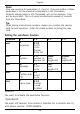
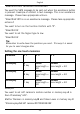
Sendingremotecontrolcommandsbytextmessage.
ActivationmustbesettoOnandtheremoteusermustbeentered
inNumberlistontheDoroPhoneEasy
®
607.
Menu
Security Remotecong.
46