
Specifications
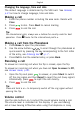



English
environment,youcancustomisethephonesaudiosettings,seeAudio
setup
,p.25.
Enteringtext
Pressanumericalkeyrepeatedlyuntilthedesiredcharacterisshown.
Waitafewsecondsbeforeenteringthenextcharacter.
Press
*
foralistofspecialcharacters.Selectthedesiredcharacter
with
/ andpressOKtoenterit.
Usethesidekeys+/–or
/ tomovethecursorwithinthetext.
Press
#
tocycleuppercase,lowercaseandnumerals.
Pressandhold
#
tochangeinputlanguage.
Enteringtextwithpredictivetext
InsomelanguagesyoucanusetheSmartABC(eZiType™)input
methodwhichusesadictionarytosuggestwords.SeePredictivetext
,p.32onhowtoactivatepredictivetext.
Presseachkeyonce,evenifthedisplayedcharacterisnottheone
youwant.Thedictionarywillsuggestwordsbasedonthekeysyou
havepressed.
1.Towritetheword“Fred”,press
3
,
7
,
3
,
3
.Completethe
wordbeforelookingatthesuggestions.
2.Use
/ toviewthesuggestedwords.
3.PressSelectandcontinuewiththenextword.
Alternatively,press
0
tocontinuewiththenextword.
Ifnoneofthesuggestedwordsarecorrect,usemanualinputmode.
Theicononthetopleftofthedisplayindicatestheinputmode:
Abc
Sentencecasewithpredictivetext
ABC
UPPERCASEwithpredictivetext
abc
lowercasewithpredictivetext
Abc
Sentencecase
ABCUPPERCASE
abclowercase
123
Numerals
7