
Technical data



- 29 -
English
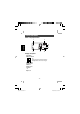
Channel selection
The Space 100 offers 8 channels in the PMR band.
To change the channel proceed as follows:
1. Press the
menu
button until the channel
number is fl ashing on the display.
3. Use the
Up-/Down
button
▲
▲
to select the chan-
nel.
4. Press the
Enter
button to confi rm or wait for 10
seconds. The channel is automatically stored.
Monitor function
With the monitor function you can switch off the automatic squelch to
listen to the weakest signals, which are cut from the automatic squelch. If
the automatic squelch is switched off you hear a loud noise.
To activate the monitor function press the
monitor
button. To switch off
the monitor function press
monitor
button a second time.
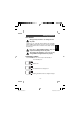
Channel scan
Busy channels can be automatically scanned.
To start the scan function proceed as follows:
1. Press the
Menu
button 2x until the SCAN icon
appears on the display.
2. Press the
Up-/Down
button
▲
▲
to start the chan-
nel scan.
3. If an active signal is detected the scan is stopped
for 5 sec. After that the channel scan is continued.
4. Press the
PTT
button to to communicate through
the active channel. The channel scan is deacti-
vated. The SCAN icon disappears.
5. If the scan has stopped on an active channel press
General operation
SCAN
Space100.indd 29 11.06.2003, 10:58:17