
Operating Instruction
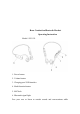
enjoying music.The best choice for listening to music, answering phones,
playing games, studying, running, cycling, fitness, swimming and
driving.
Power on:Hold the power button for 3 seconds and the blue light will be
on for 3 seconds. Prompt reads“Bluetooth Mode” in English;
Power off:Hold the power button for 5 seconds.After the red light flashes,
power off. Prompt reads“Power Off” in English;
Connection: After start-up, it enters the pairing state, the red and blue
lights flashing alternately. Switch mobile phones, desktop computers and
laptops to bluetooth mode, search for button
DK21039
and then click
“Connection”;
Connected: When the headset is connected to the device, the blue light
will flash slowly and the headset prompt sound will be "connected". After
the connection,you can listen to the music, you can also standby phone
calls, etc. on the device.
Pause: When paused, click the left multi-function button to play;When
playing, click the left multi-function button to pause;
Answer the phone: Click the left multi-function button to answer or
hang up the call. Hold the leftmulti-function button for a few seconds to
reject the call;
Volume up/down:Click the button then the volume will increase. When
nnect;