
User Manual-inspire 2

©
2016 DJI. All Rights Reserved.
25
INSPIRE 2
User Manual
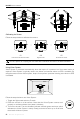
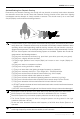
The aircraft cannot detect the object in the shadow areas. Stay alert in ight.
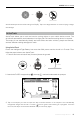
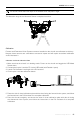
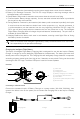
The detection range of the Ultrasonic Sensor is depicted as follow.
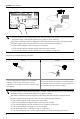
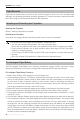
5. Place the side of visual calibration plate with the dots facing the forward vision system, and follow
the instructions in the DJI Assistant 2 to complete calibration.
6. Place the aircraft straightly, and ensure the side of visual calibration plate with dots is facing
the downward vision system, and follow the instructions in the DJI Assistant 2 to complete
calibration.
Calibration
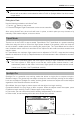
Forward and Downward Vision Systems cameras installed on the aircraft are calibrated on delivery.
However these cameras are vulnerable to excessive impact and will require occasional calibration
via DJI Assistant 2.
Calibration via Visual Calibration Plate
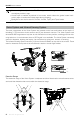
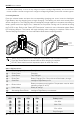
1. Make sure that the aircraft is in landing mode. Power on the aircraft and toggle the USB Mode
Switch down.
2. Connect the Inspire 2 and the PC via the USB cable (with Double A ports)
3. Launch DJI Assistant 2 and login with a DJI account.
4. Click Inspire 2 and the calibration button.