
User manual




40
Creating or Changing a Password
Chapter 6
CREATING OR CHANGING A PASSWORD
Set up your password before using the receiver locks.
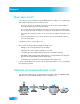
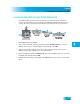
1 Press MENU and select Locks.
2 If the receiver is locked, enter the password using the NUMBER PAD. The receiver
displays stars (*) as you enter the digits of the password. Select OK.
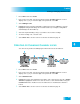
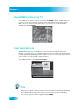
3 Select Change Password. If Change Password is grayed out, select Lock System and
go to step 6 to create a new password.
4 Enter the current password using the NUMBER PAD. Select OK.
5 Press SELECT.
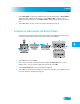
6 Enter the new password using the NUMBER PAD. Select OK.
7 Enter the new password again for confirmation, using the NUMBER PAD. The receiver
displays stars (*) as you enter the digits of the password. Select OK.
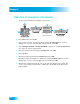
8 Memorize the new password. From now on, enter this password to lock or unlock the
receiver. If you forget your password, you will need to speak with a Customer Service
Representative.
Lock System
Ch
anne
l
L
oc
k
s
Front Panel Lock
Change Password
Lock PPV
Select Lock System
OR
Change Password