
Operation Manual




46
Click <Apply> at the bottom of the screen to save the above
configurations. You can now configure other advance sections or start
using the router (with the advance settings in place)
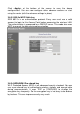
2.4.4 Access Control
This wireless router provides MAC Address Control, which prevents the
unauthorized MAC Addresses from accessing your wireless network.
Parameters Description
Enable wireless access control Enable wireless access control
Add MAC address into the list Fill in the "MAC Address" and
"Comment" of the wireless station to be
added and then click "Apply". Then this
wireless station will be added into the
Access Control List. If you find any
issues before adding it and want to
retype again. Just click "Reset" and both
"MAC Address" and "Comment" fields
will be cleared.