
Operation Manual



25
Chapter 2
General Settings
Once you click on the General Setup button at the Home Page, you
should see the screen below.
If you have already configured the Quick Setup Wizard you do NOT need
to configure anything thing in the General Setup screen for you to start
using the Internet.
The General Setup contains advanced features that allow you to configure
the router to m e et yo ur netw ork’s needs such a s: Wireless, Address
Mapping, Virtual Server, Access Control, Hacker Attack Prevention,
Special Applications, DMZ and other functions.
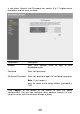
Below is a general description of what advance functions are available for
this broadband router
Menu Description