
Operation Manual




12
4) Once your PC has obtained an IP address from your router, enter the
default IP address 192.168.2.1 (broadband router’s IP address) into
your P C ’s w eb bro w ser and press < en ter>
5) The login screen below will appear. E nte r the “U se r N am e” and
“P assw ord” an d th en click <OK> to login.
Note: By default the user nam e is “admin” an d the passw ord is “1234”.
For security reasons it is recommended that you change the
password as soon as possible (in General setup/system/password,
see chapter 2)
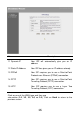
6) The HOME page screen below will appear. The Home Page is divided
into four sections, Quick Setup Wizard, General Setup, Status Info.
and System Tools.