
Technical data

Configuration
|
|
devolo dLAN 200 AV Wireless G
|
26
To restore your settings after a reset, save them in a file on your computer and
reload them (see following section).
3.5.2 Save and load configuration
All active configuration settings can be backed up by transferring them to your
computer and saving them in a file. This file can then be used to restore the con
-
figuration of your dLAN 200 AV Wireless G. This function can be useful for cre-
ating a variety of configurations that will let you quickly and easily set up the
device for use in different network environments.
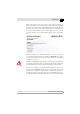
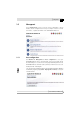
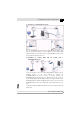
To save the active configuration in a file on your computer, click the appropriate
button in Overview 왘 Management 왘 Save configuration file. Specify a
name and location for the configuration file.
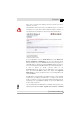
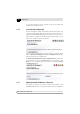
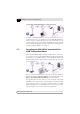
Use Overview 왘 Management 왘 Restore configuration file to send an exist-
ing configuration file to the dLAN 200 AV Wireless G and activate it. Click
Browse… to select a suitable file and start the process by clicking the Restore
configuration file button.
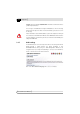
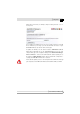
3.5.3 Update dLAN 200 AV Wireless G firmware
The software for operation of the device is included in the firmware of your
dLAN
200 AV Wireless G. If necessary, devolo makes new versions available for