
Operation Manual




Micro SD card, Please copy the file out firstly avoid to lose the files.
Reset: Reset default settings, the system will resume to the default settings, will not lose the files.
15 Firmware upgrade
This player provide the upgrade tool to upgrade or restore the firmware in player
1. Connect the player to PC, and make sure is no any other movable disk connect to PC at the
same time.
2. Install “Setup” in the video converter tool folder in the assorted CD.
3. After installed, run Media Player Upgrade Tool under Media Player Utilities 5.15 in All
program on PC.
4. Select the new firmware file, the system begin to read the file, need wait about 60 seconds.
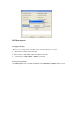
5. Select the firmware, click begin upgrading, as below:
6
、
Don’t disconnect the player with the PC when firmware upgrading or
resuming, after upgrade successful, it will show“Upgrade is success, the program will exit!” After
confirmed, the tool will auto off and reset the player, all the upgrade work is over.
Note: There are no firmware provide for this player, please contact with the manufacturer if need.