
Operation Manual




Under music play interface, press Menu key will show submenu, then press Previous/Next key to
select Add to mylist to enter then press Previous/Next key to browse different lists, press Play
key to select and press Exit key to return to last menu. Then the current song has been added to
this list.
15. Delete the file
Under music play interface, press Menu key will show submenu, then press Previous/Next key to
select Delete the file, press Play key to enter. Press Previous/Next key to select OK/Cancel, if
select OK, it will delete the song. In the play interface, press
directly, can enter into delete
interface directly.
Note: In the tag list, delete function is for delete the tag records, in the play list, just to delete the
songs from the playlist, and do not delete files.
16. Information
Under music play interface, press Menu key will show submenu, then press Previous/Next key to
select Information, press play key to enter, it will display information of the song. Press Exit key
again to return.
8 Recordings
8.1 Main menu
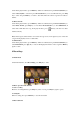
Under main interface, select Recordings, press Play key to enter.
8.2 Basic operation and submenu
1. Now recording
Enter into recording interface, press Play key start to record, press Play key again to pause.
2. Saving file
When recording, short press Menu key to save file and return.
3. Enter submenu