
Operation Manual



55
4
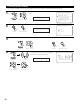
Enter the setting.
The Speaker Setup Menu reappears.
For the “WIDE SCREEN” and “9CH STEREO” DSP simulation modes, the surround speakers can be set separately.
See pages 60, 61 for setting the surround speaker when the “Analog” mode is selected at “3-2. EXT.IN Setup”.
2-6. Selecting the Surround Speakers for the different surround modes
• This Menu is displayed when both surround speakers A and B are used.
• At this screen preset the surround speakers to be used in each surround modes.
2−6.Surround Sp Setup
THX/DOLBY/DTS
CINEMA A B A+B
MULTI CH MODE A B A+B
MUSIC A B A+B
GAME A B A+B
WIDE SCREEN A B A+B
9CH STEREO A B A+B
DSP SIMULATION A B A+B
3
q To select the surround mode
w To select the surround speaker
A:When surround speakers A is used.
B:When surround speakers B is used.
A+B : When both surround speakers A and B are used.
CINEMA : A
*Surr Sp Setup
1
Select “Surround Sp Setup” at the Speaker Setup
Menu.
1.Speaker Config.
2.Subwoofer Setup
3.Delay Time
4.Channel Level
5.Crossover Frequency
6.Surround Sp Setup
7.THX Audio Setup
Exit
2.Speaker Setup
Surr Sp Setup
*Speaker Setup
2
Display the Surround Sp Setup screen.
CH SEL
ENTER
(Main unit) (Remote control unit)
CH SEL
ENTER
(Main unit) (Remote control unit)
CH SEL
ENTER
(Main unit) (Remote control unit)
CH SEL
ENTER
(Main unit) (Remote control unit)
CH SEL
ENTER
(Main unit) (Remote control unit)
About
Speaker type setting when using both surround speakers A and B
• If “Small” is set for either surround speakers A or B, the output is the same as when “Small” is set for both A and B.