
User's Guide




60
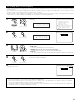
3-2. Setting the EXT. IN Setup
• Set the method of playback of the analog input signal connected to the EXT.IN-1 (10 CH) and EXT.IN-2 (6 CH) terminal.
1
Select “EXT.IN Setup” at the Audio Input Setup
Menu.
1.Digital In Assign
2.EXT.IN Setup
3.Input Function Lev.
4.Function Rename
5.IEEE1394 Assign
6.IEEE1394 Auto Func.
7.Tuner Presets
Exit
3.Audio Input Setup
2
Display the EXT.IN Setup screen.
3−2.EXT.IN Setup
EXT.IN−1
EXT.IN−2
Exit
3−2.EXT.IN−1 Setup
Mode DSP
Surr.B NOT USED
S.Back NOT USED
SW Level +15dB
Input ATT. OFF
3
q Select the input terminal. w Switch to the setting screen.
4
Select the item to be set (use the Cursor button
to the up and down) then select the parameter
(use the Cursor left and right buttons).
EXT.IN Setup
*Audio In Setup
EXT.IN-1
*EXT.IN Setup
Mode : DSP
*EXT.IN-1 Setup
CH SEL
ENTER
(Main unit) (Remote control unit)
CH SEL
ENTER
(Main unit) (Remote control unit)
CH SEL
ENTER
(Main unit) (Remote control unit)
CH SEL
ENTER
(Main unit) (Remote control unit)
(Main unit)
CH SEL
ENTER
(Remote control unit)
CH SEL
ENTER
(Main unit)
(Remote control unit)