
User's Guide




57
[2] Surround Back Speaker Position Settings
• When two surround back speakers have been set in “2-1. Speaker Configuration” (pages 46, 47), set the distance of the speakers. There
is not displayed when “1spkr” selected.
• This setting is necessary to achieve the optimum effect in the THX Surround EX, THX Ultra2 Cinema, THX Music modes and THX Games
mode. It is recommended that SBL/SBR speakers are placed together as close as possible.
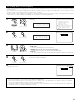
2−7.THX Audio Setup
Set The distance
Between SBL/SBR
0
ft
to 1
ft
(0m to 0.3m)
0ft to 1ft
SB Sp Position
1
Select “Surround Back Speaker Position” at the THX
Audio Setup screen and press the ENTER button.
2−7.THX Audio Setup
Boundary Gain
Compensation
Surround Back
Speaker Position
Exit
SB Sp Position
*THX AudioSetup
2
Select the settings according to the distances of the
two surround back speakers. (page 49)
(Main unit)
CH SEL
ENTER
(Remote control unit)
CH SEL
ENTER
(Main unit)
(Remote control unit)
2−7.THX Audio Setup
Boundary Gain
Compensation
Surround Back
Speaker Position
Exit
Exit
*THX AudioSetup
3
Press the ENTER button to return to the THX Audio Setup screen.
4
Select “Exit” and press the ENTER button to return
to the Speaker Setup Menu screen.
1.Speaker Config.
2.Subwoofer Setup
3.Delay Time
4.Channel Level
5.Crossover Frequency
6.Surround Sp Setup
7.THX Audio Setup
Exit
2.Speaker Setup
Exit
*Speaker Setup
5
Select “Exit” and press the ENTER button at the
Speaker Setup Menu screen.
The System Setup Menu reappears.
CH SEL
ENTER
(Main unit) (Remote control unit)
CH SEL
ENTER
(Main unit) (Remote control unit)
(Main unit)
CH SEL
ENTER
(Remote control unit)
CH SEL
ENTER
(Main unit)
(Remote control unit)
(Main unit)
CH SEL
ENTER
(Remote control unit)
CH SEL
ENTER
(Main unit)
(Remote control unit)