
User's Guide


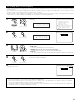


Auto :
Adjust the level while listening to the test tones
produced automatically from each speaker.
Manual :
Select the speaker from which you want to produce
the test tone to adjust the level.
51
2−4.Channel Level
Test Tone :
Test Tone Start
Level Clear
Ye s
Ye s
Auto
Manual
3
Select the mode.
Select “Auto” or “Manual”.
Example: When the “Auto” mode is selected
4
5
Select “Test Tone Start”.
2−4.Channel Level
Test Tone :
Test Tone Start
Level Clear
Ye s
Ye s
Auto
Manual
Select “Yes”.
Tone Start:Yes
*Channel Level
CH SEL
ENTER
(Main unit) (Remote control unit)
T.Tone: Auto
*Channel Level
2-4. Setting the Channel Level
• Use this setting to adjust so that the playback level between the different channels is equal.
•From the listening position, listen to the test tones produced from the speakers to adjust the level.
• The level can also be adjusted directly from the Remote control unit. (For details, see pages 134, 135.)
• The level of each channel should be adjusted to 75 dB (C-weighted, slow meter mode) on a sound level meter at the listening position.
If a sound level meter is not available adjust the channels by ear so the sound levels are the same. Because adjusting the subwoofer level test
tone by ear is difficult, use a well known music selection and adjust for natural balance.
1.Speaker Config.
2.Subwoofer Setup
3.Delay Time
4.Channel Level
5.Crossover Frequency
6.Surround Sp Setup
7.THX Audio Setup
Exit
2.Speaker Setup
2−4.Channel Level
Test Tone :
Test Tone Start
Level Clear
Ye s
Ye s
Auto
Manual
1
2
Select “Channel Level” at the Speaker Setup Menu.
Display the Channel Level screen.
Channel Level
*Speaker Setup
T.Tone: Auto
*Channel Level
CH SEL
ENTER
(Main unit) (Remote control unit)
CH SEL
ENTER
(Main unit) (Remote control unit)
CH SEL
ENTER
(Main unit) (Remote control unit)
CH SEL
ENTER
(Main unit) (Remote control unit)