
User's Guide




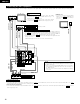
Table Of Contents
- ENGLISH
- 1. BEFORE USING
- 2. CAUTIONS ON INSTALLATION
- 3. CAUTIONS ON HANDLING
- 4. FEATURES
- 5. PART NAMES AND FUNCTIONS
- 6. READ THIS FIRST
- 7. SETTING UP THE SPEAKER SYSTEMS
- 8. CONNECTIONS
- 9. USING THE REMOTE CONTROL UNIT
- 10. SETTING UP THE SYSTEM
- 11. REMOTE CONTROL UNIT
- 12. OPERATION
- 13. SURROUND
- 14. DSP SURROUND SIMULATION
- 15. LISTENING TO THE RADIO
- 16. LAST FUNCTION MEMORY
- 17. INITIALIZATION OF THE MICROPROCESSOR
- 18. ADDITIONAL INFORMATION
- 19. TROUBLESHOOTING
- 20. SPECIFICATIONS
- LIST OF PRESET CODES
- FRANCAIS
- 1. AVANT L‘UTILISATION
- 2. PRECAUTIONS D’INSTALLATION
- 3. PRECAUTIONS DE MANIPULATION
- 4. CARACTERISTIQUES
- 5. NOMENCLATURE ET FONCTIONS
- 6. A LIRE EN PREMIER
- 7. RÉGLAGE DES SYSTÈMES D’ENCEINTE
- 8. CONNEXIONS
- 9. UTILISATION DE LA TÉLÉCOMMANDE
- 10. INSTALLATION DU SYSTEME
- 11. UNITE DE TELECOMMANDE
- 12. OPERATION
- 13. AMBIANCE
- 14. SIMULATION D’AMBIANCE DSP
- 15. ECOUTER DE LA RADIO
- 16. MEMOIRE DE DERNIERE FONCTION
- 17. INITIALISATION DU MICROPROCESSEUR
- 18. INFORMATIONS SUPPLEMENTAIRES
- 19. DEPISTAGE DES PANNES
- 20. SPECIFICATIONS
- LISTE DE CODES PRÉRÉGLÉS

8
ENGLISH
6
READ THIS FIRST
This AV Surround Receiver must be setup before use. Following these steps.
2 Speaker system layout
Basic system layout
• The following is an example of the basic layout for a system consisting of six speaker systems and a television monitor:
Subwoofer Center speaker system
Surround speaker systems
Front speaker systems
Set these at the sides of the TV or screen with
their front surfaces as flush with the front of the
screen as possible.
7
SETTING UP THE SPEAKER SYSTEMS
Step 3 (page 16 to 20)
Finally, setting up the system.
Step 2 (page 15)
Next, insert the batteries into the remote control unit.
Step 1 (page 8 to 14)
Choose the best location to setup the Speakers and connecting the components.