
User Guide
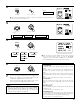
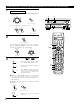


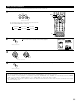
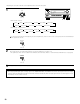


Table Of Contents
- SAFETY PRECAUTIONS
- NOTE ON USE
- SAFETY INSTRUCTIONS
- INTRODUCTION
- TABLE OF CONTENTS
- ACCESSORIES
- 1. BEFORE USING
- 2. CAUTIONS ON INSTALLATION
- 3. CAUTIONS ON HANDLING
- 4. FEATURES
- 5. CONNECTIONS
- 6. PART NAMES AND FUNCTIONS
- 7. SETTING UP THE SYSTEM
- 8. REMOTE CONTROL UNIT
- 9. OPERATION
- 10. SURROUND
- 11. DSP SURROUND SIMULATION
- 12. LISTENING TO THE RADIO
- 13. LAST FUNCTION MEMORY
- 14. INITIALIZATION OF THE MICROPROCESSOR
- 15. TROUBLESHOOTING
- 16. ADDITIONAL INFORMATION
- 17. SPECIFICATIONS
52
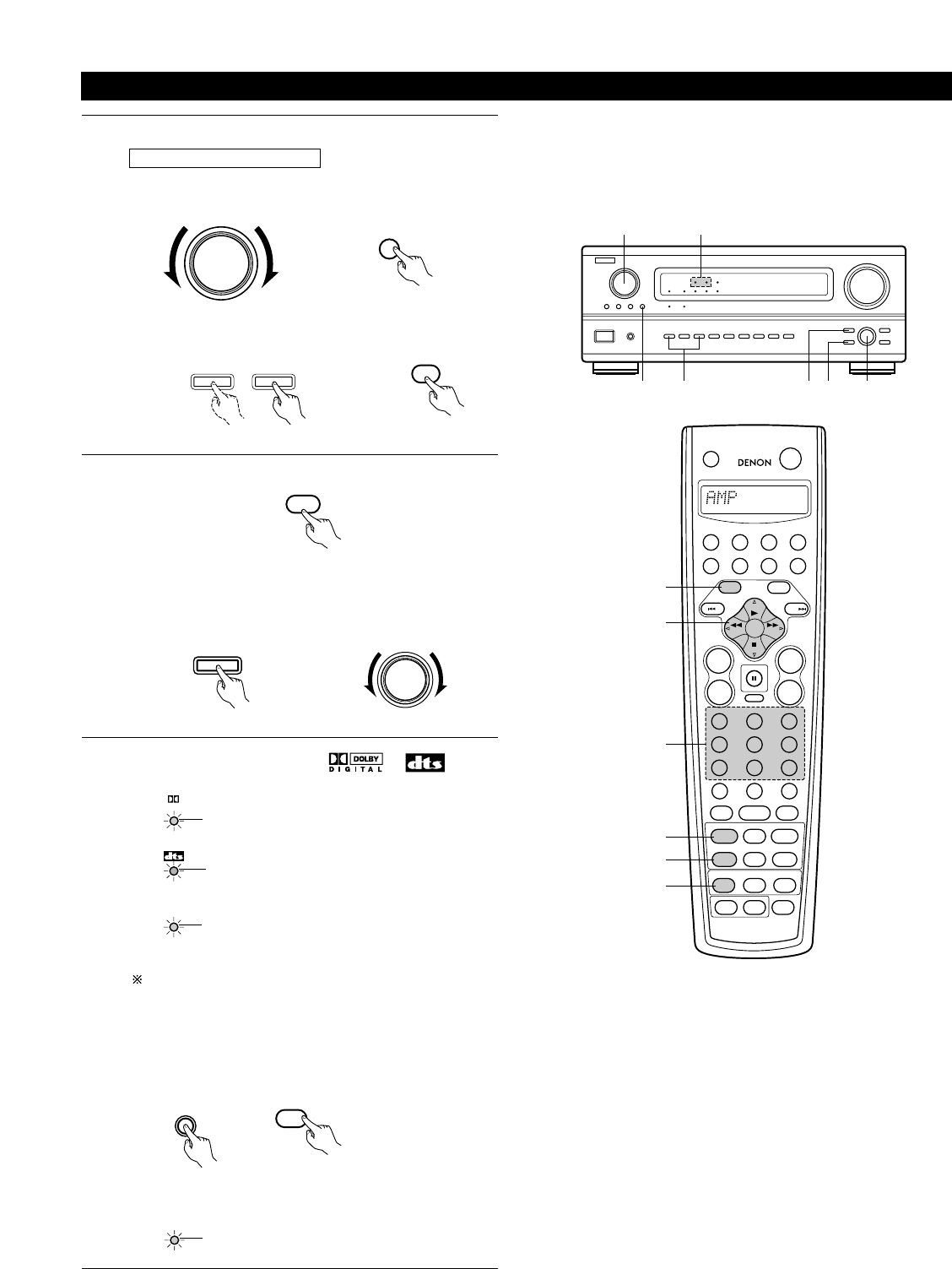
Dolby Digital mode (only with digital input) and DTS Surround mode (only with digital input)
1
Select the input source.
Playback with a digital input
q Select an input source set to digital (COAXIAL/OPTICAL)
(see page 25).
FUNCTION
5
VDP
(Main unit) (Remote control unit)
w Set the input mode to “AUTO” or “DTS”.
AUTO
DTS
MODE
(Main unit) (Remote control unit)
2
Select the Dolby/DTS Surround mode.
DOLBY/DTS
SURROUND
When performing this operation from the main unit’s panel,
press the SURROUND MODE button, then turn the SELECT
knob and select Dolby Pro logic or DTS NEO:6.
SURROUND
MODE
3
Play a program source with the , mark.
DIGITAL
• The DTS indicator lights when playing
DTS sources.
(Remote control unit)
Light
Light
SELECT
B
13
2 4,51 2,63
1
2
3
456
789
+10
0
TV/
VCR
OFF
TV
CD
CDR/MD/ TAPE RECEIVER
VCR DBS/CABLE
SKIP
SKIP
ENTER
MEMORY
VOLUME
CHANNEL
+
-
+
-
VDP DVD
POWER
REMOTE CONTROL UNIT
RC-883
ON /
SOURCE
TUNER
VDP
VCR-1 VCR-2 /V.AUX
DVD
TV/DBS
CDR/TAPE
PHONO
CD
SURROUND
INPUT
OUTPUT
TEST
TONE
SPEAKER
6.1 / 7.1
SURROUND
5CH / 7CH
ANALOG
EXT.INMODE
CALL 2
BACKLIGHT
CALL 1
STEREO
STEREO
DOLBY/DTS
SURROUND
DSP
SIMU.
DISPLAY
SYSTEM CALL
DIRECT
RETURN
SETUP
MENU
SHIFT
SURR.
PARA.
OSD
A/B
MUTING
BAND MODE
TUNING
TUNING
5, 6
4
2
3
1
1
(Main unit) (Main unit)
SIGNAL
DETECT
• The SIGNAL DETECT LED lights
when playing DTS-ES/6.1-channel
surround sources containing the
identification signal.
Light
When the SIGNAL DETECT LED is lit, we recommend
turning the surround back channel using the 6.1/7.1
Surround button on the remote control unit and main unit
during playback.
• The Dolby Digital indicator lights
when playing Dolby Digital sources.
Operate the 6.1/7.1 Surround button to switch Surround Back
CH ON/OFF.
6.1 / 7.1
SURROUND
6.1 / 7.1
SURROUND
(Remote control unit)(Main unit)
SURROUND
BACK CH
OUTPUT
• Lights when the 6.1/7.1 Surround
mode is on.
Light