
Operating instructions


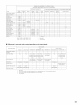


[] LISTENING TO THE RADIO
To operate the tuner by remote control, switch the remote control device to "TUNER".
Set the input function to "TUNER".Then switch the remote control device to "TUNER".
INPUT SELECTOR
0 e
{Mair} u/it) (Remote conto u/it)
Watching the display, press the BAND button to select the
desired band (AM or FM).
(Remote col/t rol _r/it)
Press the MODE button to set the auto tuning mode.
(Remote coTlt/ol ul/it)
"AUTO" appears on the display.
4
Press the TUNING UP or DOWN button.
(Remote ooTlt/ol unit)
Automatic searching begins,
then stops when a station is
tuned in.
If tuning does not stop at the desired station, use to the "Manual
tuning" operation
1
O o o
%0
_VAMp_oENI_
<_ FUNCTION 1/5
1 4
2
_JNF_-OBXON
_:_ MODE ZIS J_
4
3
Set the input function to "TUNER".
Then switch the remote control device to "TUNER".
INPUT SELECTOR
0
(Mairl u/it) (Remote conto u/it)
Press the MODE button to set the manual tuning mode
Check that the display's "AUTO" indicator turns off.
(Remote ¢ol/t rol unit)
Switch the remote control device to "TUNER" bl
Watching the display, press the BAND button to select the
desired band (AM or FM).
(Remote col/t rol _r/it)
Press the TUNING UP or DOWN button to tune in the desired
station
The frequency changes continuously when the button is held
in.
(Rer,/ote ¢o/trol ur/t)
NOTES:
• When in the auto tuning mode on the FM band, the "STEREO" indicator lights on the display when a stereo broadcast is tuned in At open
frequencies, the noise is muted and the "TUNED" and "STEREO" indicators turn off.
• When the manual tuning mode is set, FM stereo broadcasts are received in monaural and the "STEREO" indicator turns off.
66