
Operating instructions


1
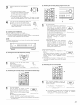
Set the external input (EXT IN) mode
Press the EXT IN (on the EXT IN button
on the remote control unit) to switch the
external input.
The playback switches as shown below
each time the button is pressed
EXT.IN-1_ EXT IN-2
BXT IN
(Main unt) (Remote control un;t}
Once this is selected, the input signals connected to the FRONT-L, FRONT-
R, CENTER, SURR-L (surround left}, SURR_R (surround right) SB<
(surround back left) and SB-R (surround back right) channels of the EXT IN
jacks are output directly to the front (left and dght), center, surround (left
and right} and surround back (left and right) speaker systems as well as the
pre-out jacks.
In addition, the signal input to the SW (subwoofer) jack is output to the
PRE OUT SW (subwoofer) jack.
Playback using the external input jacks (EXT.IN-1 and EXT, IN-2)
_ When the "ANALOG" mode is selected at "EXTIN SETUP" at system
setup: The surround playback mode button does not function
(27When the "DSP" mode is selected at "EXTIN SETUP" at system
setup: The surround playback mode button functions.
Press the SURR.PARA button to
display the surround parameters
screen
Select the parameter (jog stick
up/down) and select the setting value
(jog stick left/right)
Press the SURR.PARA button to
complete
MULTI CH DIRECT
SB CH OUT
_MTRX ON_
Yes4
EX_ IN-1
INPUT CHANNEL
_4:_2CH
• Input CH parameter
2 CH:
Select when the input source being
played is a 2-channel source
MULTI CH:
Select when the input source being
played is a multi-channel source
m
O ..........
L ODOODOODD
o ...... 0 0
TT
21
<_ 8ETT,NG_IS I>
Cancelling the external input mode
To cancel the external input (EXT IN) setting, press the INPUT MODE or
ANALOG button to switch to the desired input mode
_NPUT ANALOG
MODE
(Mail unit} /Remote contro] unit)
• When the input mode is set to EXTIN (1 or 2), playback in the DIRECT, STEREO, DOLBY/DTS SURROUND, HOME THX CINEMA, WIDE
SCREEN, 5CH/7CH STEREO and DSP SIMULATION modes is only possible when DSP MODE is selected for Extln Setup at System Setup
• When the DIRECT button is pressed while the input channel parameter is set to "MULTi CH", the MULTI CH DIRECT mode is set When the
DOLBY/DTS SURROUND button is pressed, the MULTI CH IN mode is set (See pages 64 and 65)
NOTES:
• In play modes other than the external input mode, the signals connected to these jacks cannot be played. In addition, signals cannot be
output from channels not connected to the input jacks.
• The external input mode can be set for any input source. To watch video while listening to sound, select the input source to which the video
signal is connected, then set this mode
• Playback using the DENON Link connector
Digital transfer and multi-channel playback of DVD audio discs and other multi-channel sources is possible by connecting the AVR-5803 to a
Denon DVD player equipped with a Denon Link connector using the connection cable included with the DVD player.
With discs on which special copyright protection measures have been taken, however, the digital signals may not be output from the DVD
player. In this case, connect the DVD player's analog multi=channel output to the AVR-5803's EXTIN_I or EXTIN=2 terminals for playback
Also refer to your DVD player's operating instructions.
44