
User's Manual

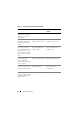
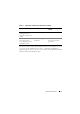

Table Of Contents
- About This Document
- Dell Systems Build and Update Utility Overview
- Before You Begin Using the Systems Build and Update Utility
- Launching the Systems Build and Update Utility
- Using the Systems Build and Update Utility
- Flexibility That the Systems Build and Update Utility Offers
- Using the Systems Build and Update Utility in Different Scenarios
- Updating Your System Firmware
- Configuring Your System Hardware
- Installing the Operating System
- Deploying Your Current ("Bare-Metal") Dell System
- Deploying More Than One System With the Same Configuration
- Deploying More Than One System With Slightly Different Configurations
- Deploying Multiple Systems of Different Models
- Deploying Multiple Systems With the Same Configuration for Different Operating Systems
- Reusing Configuration Files
- Important Information and Frequently Asked Questions
- Glossary
- Index

About This Document 9
Now that you have an idea of what this document is about and how to use it
to easily access the information you want, see "Dell Systems Build and
Update Utility Overview" to get an overview of the Systems Build and Update
Utility and the functionalities it offers.
Important information
and FAQs about the
Hardware Configuration
module
"Hardware Configuration" Not applicable
Important information
and FAQs about the
Server Operating System
Installation module
"Server Operating System
Installation"
"Important Information
and Frequently Asked
Questions"
Table 1-1. Organization of Information in This Guide (continued)
Topics For Dell systems For Dell PowerEdge SC
systems