
User's Manual

40 Using The Systems Build and Update Utility
Important!
• Once you import the configuration file, all the GUI fields will be populated.
• You can edit the Firmware Update Configuration, Hardware Configuration,
and Configure SOI modules as required. However, ensure that you do not
make any changes on the System(s) Selection screen; if you do so, all existing
configuration for the three modules will be reset.
1
On the
Systems Build and Update Utility Home
, click
Import Saved
Configuration
.
2
The
Import Configuration
screen displays. Select the location from where
you want to import the configuration file. Click
Continue
.
3
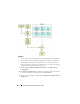
The progress screen displays, followed by the
Imported Configuration File
Details
screen.