
User's Manual




Dell Systems Build and Update Utility Overview 13
Now that you have an overview of Dell Systems Build and Update Utility and
what functionalities it offers, read "Before You Begin Using The Dell Systems
Build and Update Utility" to see what you should have before you begin using
Dell Systems Build and Update Utility in your environment.
Customize the Server Update
Utility and use it to update your
Dell system one-to-one
(requires an operating system on
your system).
"Using Systems Build
and Update Utility After
Operating System
Installation"
Dell systems (excluding
PowerEdge SC systems)
Download the latest Server
Update Utility ISO image from
Dell online at ftp.dell.com.
"Using Systems Build
and Update Utility After
Operating System
Installation"
Dell systems (including
PowerEdge SC systems)
NOTE: Content Manager
runs on supported
Microsoft Windows and
Linux operating systems.
Create your customized
repository using the Dell Server
Updates DVD or from Dell
online at ftp.dell.com in the
post-operating system
environment.
"Using Systems Build
and Update Utility After
Operating System
Installation"
Dell systems (including
PowerEdge SC systems)
NOTE: Content Manager
runs on supported
Microsoft Windows and
Linux operating systems.
Create your customized
repository using the Dell Server
Updates DVD in the pre-
operating system environment.
"Update Utility
Creation"
Dell systems (including
PowerEdge SC systems)
Check for the latest updates by
comparing your local or
customized repository with the
Dell online repository at
ftp.dell.com.
"Using Systems Build
and Update Utility After
Operating System
Installation"
Dell systems (including
PowerEdge SC systems)
NOTE: Content Manager
runs on supported
Microsoft Windows and
Linux operating systems.
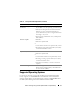
Table 2-1. Dell Systems Build and Update Utility Functionalities (continued)
You Want To Go To For