
User's Manual




Getting Started With Dell PROPack 13
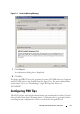
Figure 2-1. Security Warning Message
7
Click
Import
.
A confirmation dialog box is displayed.
8
Click
Yes
.
For alerts and PRO Tips to be generated, ensure SCVMM discovery happens
and SCVMM objects are displayed in the State View. For more information
on the State View, see "Monitoring Using PRO Specific Alerts on
SCOM/SCE".
Configuring PRO Tips
The Dell systems and virtual infrastructure are monitored for either Critical
only or both Critical and Warning alerts. A Warning alert is generated when
a reading for the component is above or below the acceptable level.