
User's Manual

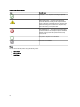


To access the Printers (OM07) Diagram or Printers (OM12) Diagram view:
1. In the OpsMgr, click Monitoring.
2. In the Monitoring pane, navigate to the Dell folder and click the folder to display the different views.
3. Click Diagram Views → Printers (OM07) Diagram or Printers (OM12) Diagram view.
4. Select a printer in the diagram to view the details in the Detail View pane.
State Views
The State Views displays the status of each Dell printer managed by OpsMgr on your network. The Dell Printer
Management Pack provides a list of severity level indicators to help you monitor the health of the Dell printers on the
network.
To access the State Views:
1. In the OpsMgr console, click Monitoring.
2. In the Monitoring pane, navigate to the Dell folder and click the folder to display the different views.
3. Click State Views → Printers (OM07) State or Printers (OM12) State view.
The OpsMgr console displays the status of all the Dell printers that you are monitoring on the right pane.
4. Select a state to view the details in the Detail View pane.
Tasks
Tasks are available in the Actions/Tasks pane of the OpsMgr console. When you select a printer or a component in any
of the State Views, Diagram Views, or Alerts Views, the relevant tasks appear in the Actions/Tasks pane.
Launching Printer Console
1. In the OpsMgr console, navigate to a Diagram Views.
2. Expand the diagram and select the desired Dell printer.
3. In the Actions/Tasks pane, select SNMP Network Device Tasks for OpsMgr 2007 R2/SCE 2010 or Node Tasks for
OpsMgr 2012.
4. Click Launch Printer Console.
Customizing The Dell Printer Management Pack
The Dell Printer Management Pack allows you to customize discovery, monitoring, and alert rules of your Dell devices.
You can customize the following components:
• Monitors — Assess various conditions that can occur in monitored objects. The result of this assessment
determines the health state of a target and the alerts that are generated.
• Object Discoveries — Find objects on a network that need to be monitored.
• Rules — Collects data, such as events generated by managed objects.
Unit Monitors
You can customize the Dell Printer Management Pack unit monitors parameters by using the following overrides:
• Enabled — Allows you to enable or disable monitors. You can set the Override setting to True or False.
13