
Reference Guide




Intermediate System to Intermediate System | 459
The default IS type is level-1-2. To change the IS type to Level 1 only or Level 2 only, use the is-type
command in ROUTER ISIS mode.
Enter the
show isis protocol command in EXEC Privilege mode or the show config command in ROUTER
ISIS mode to view the IS-IS configuration.
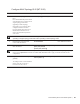
Figure 24-2. Command Example: show isis protocol
Use the show isis traffic command in EXEC Privilege mode to view IS-IS protocol statistics.
5 Enter an IPv6 Address.
ipv6 address : x:x:x:x::x
mask : prefix length 0-128
The IPv6 address must be on the same subnet as other IS-IS
neighbors, but the IP address does not need to relate to the
NET address.
ipv6 address
ipv6-address mask
INTERFACE
6 Enable IS-IS on the IPv4 interface. If you configure a tag
variable, it must be the same as the tag variable assigned in
step 1.
ip router isis [tag] ROUTER ISIS
7 Enable IS-IS on the IPv6 interface. If you configure a
tag
variable, it must be the same as the tag variable assigned in
step 1.
ipv6 router isis [tag] ROUTER ISIS
Step Task Command Syntax Command Mode
FTOS#show isis protocol
IS-IS Router: <Null Tag>
System Id: EEEE.EEEE.EEEE IS-Type: level-1-2
Manual area address(es):
47.0004.004d.0001
Routing for area address(es):
21.2223.2425.2627.2829.3031.3233
47.0004.004d.0001
Interfaces supported by IS-IS:
Vlan 2
TengigabitEthernet 4/22
Loopback 0
Redistributing:
Distance: 115
Generate narrow metrics: level-1-2
Accept narrow metrics: level-1-2
Generate wide metrics: none
Accept wide metrics: none
FTOS#