
Reference Guide



238 | Debugging and Diagnostics
www.dell.com | support.dell.com
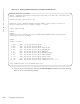
Figure 13-3. Running Offline Diagnostics on a S6000 Standalone Unit
4. View the results of the diagnostic tests using the show file flash:// command from EXEC Privilege
mode, as shown in the following example.
FTOS#diag stack-unit 0 alllevels
Warning - diagnostic execution will cause multiple link flaps on the peer side - advisable to shut
directly connected ports
Proceed with Diags [confirm yes/no]: yes
FTOS#May 8 12:51:31: %S6000:0 %DIAGAGT-6-DA_DIAG_STARTED: Starting diags on stack unit 0
00:43:20 : Approximate time to complete the Diags ... 16 Mins
[reboot output omitted]
FTOS>en
Password:
FTOS#May 8 13:04:31: %STKUNIT0-M:CP %SEC-3-AUTHENTICATION_ENABLE_SUCCESS: Enable password
authentication success on console
FTOS#dir
Directory of flash:
1 drwx 4096 Jan 01 1980 00:00:00 +00:00 .
2 drwx 2048 May 08 2013 13:02:28 +00:00 ..
3 drwx 4096 May 02 2013 15:28:56 +00:00 TRACE_LOG_DIR
4 drwx 57344 May 02 2013 15:28:56 +00:00 CORE_DUMP_DIR
5 d--- 4096 May 02 2013 15:28:56 +00:00 ADMIN_DIR
6 drwx 4096 May 02 2013 15:28:56 +00:00 RUNTIME_PATCH_DIR
7 drwx 4096 May 08 2013 05:13:50 +00:00 CONFIG_TEMPLATE
8 -rwx 3188 May 08 2013 12:06:32 +00:00 startup-config
9 -rwx 4422 May 03 2013 15:50:58 +00:00 alltype_optics.txt
10 -rwx 26596 May 08 2013 13:00:22 +00:00 TestReport-SU-0.txt <<<<<<
flash: 6429872128 bytes total (6216867840 bytes free)