
Reference Guide






102 | Bidirectional Forwarding Detection (BFD)
www.dell.com | support.dell.com
When using BFD with OSPF, the OSPF protocol registers with the BFD manager on the RPM. BFD
sessions are established with all neighboring interfaces participating in OSPF. If a neighboring interface
fails, the BFD agent on the line card notifies the BFD manager, which in turn notifies the OSPF protocol
that a link state change occurred.
Configuring BFD for OSPF is a two-step process:
1. Enable BFD globally.
2. Establish sessions with a next-hop neighbors.
Related configuration tasks
• Change session parameters.
• Disable BFD sessions for OSPF.
Establishing sessions with OSPF neighbors
BFD sessions can be established with all OSPF neighbors at once, or sessions can be established with all
neighbors out of a specific interface. Sessions are only established when the OSPF adjacency is in the full
state.
Figure 7-4. Establishing Sessions with OSPF Neighbors
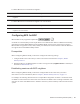
To establish BFD with all OSPF neighbors:
Step Task Command Syntax Command Mode
1 Establish sessions with all OSPF neighbors. bfd all-neighbors ROUTER-OSPF
2.2.2.1/24
2.2.3.1/24
4/24
2/1
2/2
6/0
AREA 0
AREA 1
6/1
1/1
FTOS(conf-if-gi-4/24)# ip address 2.2.2.1/24
FTOS(conf-if-gi-4/24)# no shutdown
FTOS(conf-if-gi-4/24)# exit
FTOS(config)# router ospf 1
FTOS(config-router_ospf)# network 2.2.2.0/24 area 0
FTOS(config-router_ospf)# bfd all-neighbors
FTOS(conf-if-gi-2/1)# ip address 2.2.2.2/24
FTOS(conf-if-gi-2/1)# no shutdown
FTOS(conf-if-gi-2/1)# exit
FTOS(config)# router ospf 1
FTOS(config-router_ospf)# network 2.2.2.0/24 area 0
FTOS(config-router_ospf)# bfd all-neighbors
FTOS(conf-if-gi-2/2)# ip address 2.2.3.1/24
FTOS(conf-if-gi-2/2)# no shutdown
FTOS(conf-if-gi-2/2)# exit
FTOS(config)# router ospf 1
FTOS(config-router_ospf)# network 2.2.3.0/24 area 1
FTOS(config-router_ospf)# bfd all-neighbors
FTOS(conf-if-gi-6/1)# ip address 2.2.4.1/24
FTOS(conf-if-gi-6/1)# no shutdown
FTOS(conf-if-gi-6/1)# exit
FTOS(config)# router ospf 1
FTOS(config-router_ospf)# network 2.2.4.0/
24
FTOS(config-router_ospf)# bfd all-neighbor
s
FTOS(conf-if-gi-6/0)# ip address 2.2.3.2/24
FTOS(conf-if-gi-6/0)# no shutdown
FTOS(conf-if-gi-6/0)# exit
FTOS(config)# router ospf 1
FTOS(config-router_ospf)# network 2.2.3.0/24 area 1
FTOS(config-router_ospf)# bfd all-neighbors
FTOS(conf-if-gi-6/0)# ip address 2.2.4.2/24
FTOS(conf-if-gi-6/0)# no shutdown
FTOS(conf-if-gi-6/0)# exit
FTOS(config)# router ospf 1
FTOS(config-router_ospf)# network 2.2.4.0/24 area 1
FTOS(config-router_ospf)# bfd all-neighbors
2.2.2.2/24
2.2.3.2/24
2.2.4.1/24
2.2.4.2/24
R1
R3R2
R4