
Reference Guide



52 | Getting Started
www.dell.com | support.dell.com
To view the interfaces in Layer 2 mode, use the show interfaces switchport command in EXEC mode.
Accessing the System Remotely
You can configure the system to access it remotely by Telnet. The system has a dedicated management port
and a management routing table that is separate from the IP routing table.
Configuring the system for Telnet is a three-step process:
1. Configure an IP address for the management port. Refer to Configuring the Management Port IP
Address.
2. Configure a management route with a default gateway. Refer to Configuring a Management Route.
3. Configure a username and password. Refer to Configuring a Username and Password.
Configuring the Management Port IP Address
Assign IP addresses to the management ports in order to access the system remotely.
To configure the management port IP address:
2
Place the interface in Layer 2 (switching) mode. switchport INTERFACE
Note: Assign different IP addresses to each stack-unit’s management port.
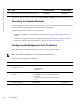
Step Task Command Syntax Command Mode
1 Enter INTERFACE mode for the
Management port.
interface ManagementEthernet slot/port
• slot range: 0 to 11.
•
port range: 0.
CONFIGURATION
2
Assign an IP address to the
interface.
ip address ip-address/mask
• ip-address: an address in dotted-decimal format
(A.B.C.D).
•
mask: a subnet mask in /prefix-length format (/
xx).
INTERFACE
3
Enable the interface.
no shutdown
INTERFACE
Step Task Command Syntax Command Mode