
Reference Guide


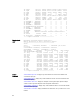


show processes memory (S-Series) – displays CPU usage information based on processes
running in an S-Series.
show processes ipc flow-control
Display the single window protocol queue (SWPQ) statistics.
C-Series, E-Series, S-Series, Z-Series
Syntax
show processes ipc flow-control [cp | rp1 | rp2 | lp linecard-
number]
Parameters
cp (OPTIONAL) Enter the keyword cp to view the control processor’s
SWPQ statistics.
rp1 (OPTIONAL) Enter the keyword rp1 to view the control processor’s
SWPQ statistics on Route Processor 1.
NOTE: Not supported in the S-Series.
rp2 (OPTIONAL) Enter the keyword rp2 to view the control processor’s
SWPQ statistics on Route Processor 2.
NOTE: Not supported in the S-Series.
lp
linecard-
number
(OPTIONAL) Enter the keyword lp followed by the line card number
to view the control processor’s SWPQ statistics on the specified line
card.
NOTE: Not supported in the S-Series.
Defaults none
Command Modes
• EXEC
• EXEC Privilege
Command History
Version 8.3.11.1 Introduced on the Z9000.
Version 8.1.1.0 Introduced on the E-Series ExaScale.
Version 7.6.1.0 Introduced on the S-Series.
Version 7.5.1.0 Introduced on the C-Series and E-Series.
175