
Reference Guide


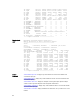


0x0000006c 80 8 10000 0.00% 0.00% 0.00% 0 arpm
0x00000068 60 6 10000 0.00% 0.00% 0.00% 0 acl2
0x00000064 750 75 10000 0.00% 0.00% 0.00% 0 sysd2
0x00000062 0 0 0 0.00% 0.00% 0.00% 0 sysmon
0x00000024 880 88 10000 0.00% 0.00% 0.00% 0 sshd
0x00000022 0 0 0 0.00% 0.00% 0.00% 0 inetd
0x00000020 2250 225 10000 0.00% 0.00% 0.00% 0
mount_mfs
0x00000013 0 0 0 0.00% 0.00% 0.00% 0
mount_mfs
0x00000006 100 10 10000 0.00% 0.00% 0.00% 0 sh
0x00000005 0 0 0 0.00% 0.00% 0.00% 0 aiodoned
0x00000004 960 96 10000 0.00% 0.00% 0.00% 0 ioflush
0x00000003 140 14 10000 0.00% 0.00% 0.00% 0 reaper
0x00000002 0 0 0 0.00% 0.00% 0.00% 0
pagedaemon
0x00000001 160 16 10000 0.00% 0.00% 0.00% 0 init
0x00000000 700 70 10000 0.00% 0.00% 0.00% 0 swapper
0x00000098 140 14 10000 0.00% 0.00% 0.00% 0 msdp
show processes cpu (S-Series)
Display CPU usage information based on processes running in an S-Series or Z-Series.
S-Series, Z-Series
Syntax
show processes cpu [management-unit 1-99 [details] | stack-unit
id | summary | ipc | memory [stack-unit id]]
Parameters
management-unit
1-99
[details]
(OPTIONAL) Display processes running in the control processor. The
1-99 variable sets the number of tasks to display in order of the
highest CPU usage in the past five (5) seconds. Add the keyword
details to display all running processes (except sysdlp). Refer to
Example (management-unit).
stack-unit
id
(OPTIONAL) Enter the keyword stack-unit followed by the stack
member ID.
As an option of the show processes cpu command, this option
displays CPU usage for the designated stack member. Or, as an
option of the
command, this option limits the output of memory
statistics to the designated stack member.
Refer to Example (stack-unit). The unit ID range for the S4810 is 0 to
11.
summary (OPTIONAL) Enter the keyword summary to view a summary view of
CPU usage for all members of the stack. Refer to Example (summary).
ipc (OPTIONAL) Enter the keyword ipc to display interprocess
communication statistics.
memory (OPTIONAL) Enter the keyword memory to display memory statistics.
Refer to Example (memory).
171