
Users Guide
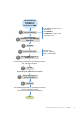

Edit or delete the network connection information by
using OMM
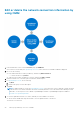
1. In the INVENTORY section of the OMM home page, tap VIEW ALL.
A list of devices monitored by the OpenManage Consoles, chassis, and servers available in OMM are displayed.
2. Do one of the following:
● Press and hold the device name (IP address), and then tap Edit Connection.
○ To delete the device, tap Delete.
● Swipe the device name (IP address) to the left, and then tap Edit or Delete.
3. Edit the hostname or IP, username, password, domain, and description.
4. For OpenManage Consoles, do the following:
a. Tap Next.
b. Edit the alert policy for alert subscription.
5. Tap Save.
NOTE:
If OMM is unable to contact the OpenManage Consoles server when the console is deleted or edited, the latter
retains the device in its mobile subscriber list until it is manually deleted. For more information about deleting a mobile
subscriber', see the respective User’s Guide of OpenManage Essentials or OpenManage Enterprise available at
www.dell.com/openmanagemanuals.
6. To view the updated information of a chassis, manually reconnect OMM to the chassis.
● On the chassis dashboard, swipe downwards to view the updated status of the device.
The chassis is reconnected.
20
Manage OpenManage Consoles on OMM