
Users Guide

Monitor storage devices on PowerEdge
servers
You can view information about the storage controllers, hard drives, virtual drives, and enclosures of a server by using OMM.
For more information about storage devices on Dell EMC PowerEdge servers, see the iDRAC User's Guide available at www.dell.com/
idracmanuals.
Topics:
• View storage devices on PowerEdge servers by using OMM
View storage devices on PowerEdge servers by
using OMM
This feature is available:
• For servers added by using a network.
• On YX4X and later PowerEdge servers.
1. On the OMM home page, tap the appropriate server.
The server dashboard is displayed.
2. Tap Storage.
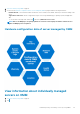
The Storage Summary page lists the supported storage devices and components.
• To view information about the controllers, hard drives, virtual drives, and enclosures, tap Controllers, Physical Discs, Virtual
Discs, and Enclosures.
• To locate a drive on the server, tap BLINK. To use this feature, you must have appropriate user privileges.
• To view log information about the storage devices, tap Storage Logs.
6
Monitor storage devices on PowerEdge servers 29