
Solution Guide



Present 85
Present
Reporting the results of your analysis is an integral part of the Dell Digital
forensics Solution, and is handled primarily through the forensics software you
are using as part of the Solution.
How to Create Reports Using the Dell Digital
Forensics Solution
Create and Export Reports Using EnCase 6
1
Select the items to report on, whether they are files, bookmarks, search hits,
or other data.
2
Select the type of report you want using the tabs in the
Tree
pane.
3
From the
Table
tab in the
Table
pane, enable the items you want to show in
the report.
4
From the
Table
tab, switch to the
Report
tab.
5
Modify the report as needed.
6
Export the report to a format viewable outside EnCase.
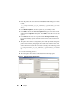
a
Right-click in the report and click
Export
from the drop-down menu.
The
Export Report
dialog opens.
b
Click the appropriate radio button to select the output format you want to
use (TEXT, RTF, or HTML).
c
Enter or navigate to the output path.
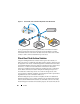
Archive
Triage
Ingest
Store Analyze