
Solution Guide




74 Store
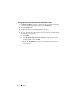
Setting Up Security for Individual Case and Evidence Files
1
In
Windows Explorer
, navigate to the file for which you will establish file
permissions. Right-click the file, and then select
Properties
.
2
Click the
Security
tab.
3
Uncheck the check box beside
Everyone
, if necessary.
4
Add only the users who will be requiring access to the file as determined by
the policy of your workplace.
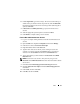
a
Click
Add
.
b
In the
Enter the object names to select
field, enter the names of the
appropriate users. Then click
OK
.
c
Modify the
Permissions
for each user as determined by the policy of
your workplace.