
User manual




Tasks and Kits
ProMaster 2500 User Manual 3-23
Serialization Method —
select
File
when operating with an ESP. (The
Memory Buffer selection is offered to maintain compatibility with a
previous product and should not be used to create a new ESP.)
RAM Serialization
— select
On
when you want the serial number to be
programmed in the device. Selecting
Off
will print the serial number on
the label when you have included two or more percent (
%
) signs in a row
in the label text field (in the
ProMaster 2500
dialog box).
Edit Starting Number
— set to
Yes
when the starting serial number will
be entered or edited by the operator at the start of the Task. Enter the new
serial number in the Next Serial Number field.
TaskLink will record the last serial number programmed into a device,
increment it, and use it as the starting number the next time the Task is
run. Select
No
if you want to operate in this manner.
Keep Next Number
— select
Yes
if you want TaskLink to record the next
valid serial number so it can be used the next time the Task is run. If the
last successfully programmed and serialized device had a serial number
of 7123, selecting
Yes
would program serial number 7124 into the first
device on the next run of the Task.
When this dialog box is complete, move the cursor to
<OK>
and press
↵
.
TaskLink calls the ESP program (see Figure 3-16) when the Task is run,
before the first device is processed. The ESP generates a valid serial
number, creates an ASCII file called
Serial.dat
and writes it on the PC’s
disk. The ESP passes control back to TaskLink. The serial number file is
downloaded to the 2500’s RAM, and the device is programmed.
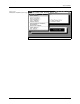
Figure 3-15
Serialization Parameters Dialog
Box