
User manual




Tasks and Kits
ProMaster 2500 User Manual 3-21
Remote Control commands in Appendix E.
For example, you might use these commands if you want to program a
device but disable the verify option. The Edit Task dialog box does not
allow you to select this combination. From that box, Verify is
automatically enabled when Program is selected. Use the
023]
command
to disable the verify operation.
Security Option
— Some devices have a security fuse that, when
programmed, prevents any programming equipment from reading its
data. Set this value to 3 to program the security fuse in most PLD devices.
The main array of device fuses are verified before the security fuse is
programmed. If the main array fuses pass, the security fuse is
programmed and the 2500 will no longer be able to read the original
sumcheck from the device. The only way to confirm correct data in a
device after its security fuse has been programmed is to run structured test
vectors.
Enable Special Data
— Used by some devices to enable special options
they offer. The option depends on the device being programmed. For
example, some microcontroller devices have extra security fuses that can
be enabled only when this parameter is set. Refer to the 2500 Device List
footnotes to see if any special options are available for the device in your
Task.
Continuity Checking
— This option allows you to enable or disable
continuity checking on some devices. Under most circumstances you
would not disable this check as it provides important information about
how the device is seated in the programming module. If the test is
disabled and a device is not making good contact in the programming
module, the device will fail with either a programming or verify error. For
some devices, the continuity test is an integral part of the programming
algorithm and cannot be disabled even when it is not selected on the
screen. Continuity checking is enabled when TaskLink is shipped.
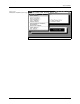
Figure 3-14
General Parameters Dialog Box