
User manual




Local Mode
F-8 ProMaster 2500 User Manual
Type a filename not currently on the list of files or use the arrow keys to
scroll to files not listed on the display. (Only eight filenames appear on
the screen at one time.)
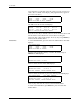
The 2500 creates the new file and displays:
Since this is a new file, no default values are shown. Enter the device and
text information as described in the section called “Creating the
Temporary File” earlier in this chapter. Press any key (except
RESET
) to
return to the File Utilities Menu.
Delete Files
To select DELETE FILES, press
2
from the File Utilities Menu. The 2500
displays:
Type the name of the file to delete, or scroll to the name and press
ENTER
. The 2500 displays:
Press
Y
to delete the file and the 2500 displays:
Press
Y
to delete another file or press any other key. The 2500 displays:
Press any key other than
Y
to return to the File Utilities Menu.
To return to the Main Menu, press
RESET
or press
3
from the File
Utilities Menu.
FILE EDIT MODE
FILE1 FILE2 FILE3 FILE4
FILE5 FILE6 FILE7 FILE8
ENTER FILE NAME TO EDIT: NEWNAME
FILE EDIT MODE NEW FILE: NEWNAME
CUSTOM PLCC 20 PLCC 28 PLCC 32
PLCC 44 PLCC 52 PLCC 68 PLCC 84
MOVE TO SELECTION THEN PRESS ENTER
FILE DELETE MODE
FILE1 FILE2 FILE3 FILE4
FILE5 FILE6 FILE7 FILE8
ENTER FILE NAME TO DELETE:
FILE DELETE MODE FILE NAME: NEWNAME
DELETE THIS FILE? (Y OR N)
FILE DELETE MODE FILE NAME: NEWNAME
DELETE THIS FILE? (Y OR N) Y
FILE WAS DELETED, DELETE ANOTHER FILE?
FILE DELETE MODE FILE NAME: NEWNAME
DELETE THIS FILE? (Y OR N) N
FILE NOT DELETED, DELETE ANOTHER FILE?