
User manual




Local Mode
ProMaster 2500 User Manual F-7
Editing an Existing File
To select a file, scroll to that filename and press
ENTER
, or type the name
of a file and press
ENTER
. The filename is shown on the top line of the
display:
To change the device package, press
Y
. Otherwise, press
N
or
ENTER
.
The 2500 displays:
Press
Y
to select a new font. Otherwise, press
N
. The 2500 asks you to
select the orientation of pin 1 in the tracks. When the text file is ready to
be edited, the 2500 displays:
Up to three lines of text with 25 characters per line are available, but the
number of lines and characters that you can put on a device is limited by
the size of the device, the label, and type. Enter the text you want on the
label. Existing text is overwritten.
To delete a character, move the cursor one space to the right of the
character you want to delete, and press
DEL
. To insert a space between
two characters, move the cursor to the right of where you want to add a
space, and press
SHIFT
and
SPACE
at the same time.
When editing is complete, press
STOP
. The 2500 displays:
If you do not wish to save the file, press
N
or
RESET
. If you wish to save
it, press
Y
. Then press any key to return to the File Utilities Menu.
Create a New File
To create a new file, press
1
from the File Utilities menu. The 2500
displays:
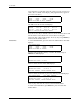
FILE EDIT MODE FILENAME: FILE5
CURRENT PART IS: CUSTOM LENGTH: .250
DO YOU WISH TO CHANGE? (Y OR N):
FILE EDIT MODE FILENAME: FILE5
CURRENT FONT IS: xxxx LENGTH: .250
DO YOU WISH TO CHANGE? (Y OR N):
ABCDEFGHI |FILE NAME: FILE5
JKLMNOPQR |COLUMN X ROW X
123456789 |PRESS STOP WHEN
|EDITING IS COMPLETE
U43 |FILE NAME: FILE5
DATA I/O CORP |COLUMN X ROW X
VER 2.1 1993 |DO YOU WANT TO SAVE
|THIS FILE? (Y OR N)
FILE EDIT MODE
FILE1 FILE2 FILE3 FILE4
FILE5 FILE6 FILE7 FILE8
ENTER FILE NAME TO EDIT: