
User manual




ProMaster 2500 User Manual F-1
F
Local Mode
Local mode is an operating mode for the ProMaster 2500 where the
operator is communicating using the 2500’s keyboard and display. This
mode can be used for initial system setup, running diagnostic tests or
cycling devices. This chapter describes the parameters that can be
changed using the 2500’s keyboard.
Switching Between Local and Remote Modes
The 2500 normally operates with TaskLink in Remote mode. To switch to
Local mode, press
LOWER CASE
+
L
(for
Local
) on the 2500’s keyboard.
The 2500 powers up in the mode it was in when last turned off.
Return to Remote mode by pressing
LOWER CASE
+
R
(for
Remote
) on
the 2500’s keyboard.
System Configuration
The ProMaster 2500 can be configured to operate with either a dot matrix
or a thermal printer. The handler was configured correctly at the factory
for the type of printer that was installed during assembly. If a handler
with a thermal printer begins operating as though it were configured for
the dot matrix printer option, complete the following steps to reconfigure
it for the thermal printer.
1. Press
LOWER CASE
+
L
to put the 2500 in local mode.
2. From the Main Menu, press
LOWER CASE
+
W
.
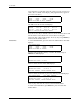
1-DOT MATRIX, 2-THERMAL
ENTER TYPE OF MARKER (2): _