
User manual







Computer Remote Control
ProMaster 2500 User Manual E-17
Programming Electronics Computer Remote Control
This section describes the CRC commands used for the ProMaster 2500’s
programming electronics. It includes the following information:
•
System Setup
—Explains how to set up the 2500 programming
electronics for remote control operation. Includes information on
entering and exiting CRC mode.
•
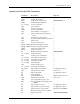
CRC Commands
—lists the available CRC commands.
•
CRC Error Codes
—Lists the error codes that may be returned while
the 2500 programming electronics is being operated in CRC mode.
System Setup
The 2500 programming electronics receives CRC commands and sends
responses to the host computer through the RS-232C port labeled
“Programmer Port” on the back of the 2500. This is the only port that will
respond to programming electronics CRC commands.
To ensure correct operation of the 2500 port with the host computer, set
the parameters for the 2500 port according to the host computer
requirements.
Halting CRC Operations
To halt any command or any ongoing CRC operation, send one of the
following commands to the Programmer port (neither command requires
a
↵
). Both commands act immediately, terminating any preceding
command operation.
ASCII
Command Hex Code Description
E
SC
1B Causes the 2500 programming electronics to
unconditionally halt any operation except a
binary transfer.
B
REAK
n/a Causes the 2500 programming electronics to
unconditionally halt any operation in
progress. This includes all data
communications transfers. The data line
must be held in the spacing condition for
110 ms to 700 ms.